
The RAW Truth: Why Camera Brands Refuse to Standardize
Switching camera brands often surfaces a workflow problem that isn't obvious until it bites. A decade of Canon CR2 files doesn't translate cleanly when you move to Sony; they still need the original software support, and ARW files from a brand-new Sony body may require a Lightroom update that isn't available on release day. It's common to unbox a premium camera only to discover its files can't be opened yet in your editor of choice.
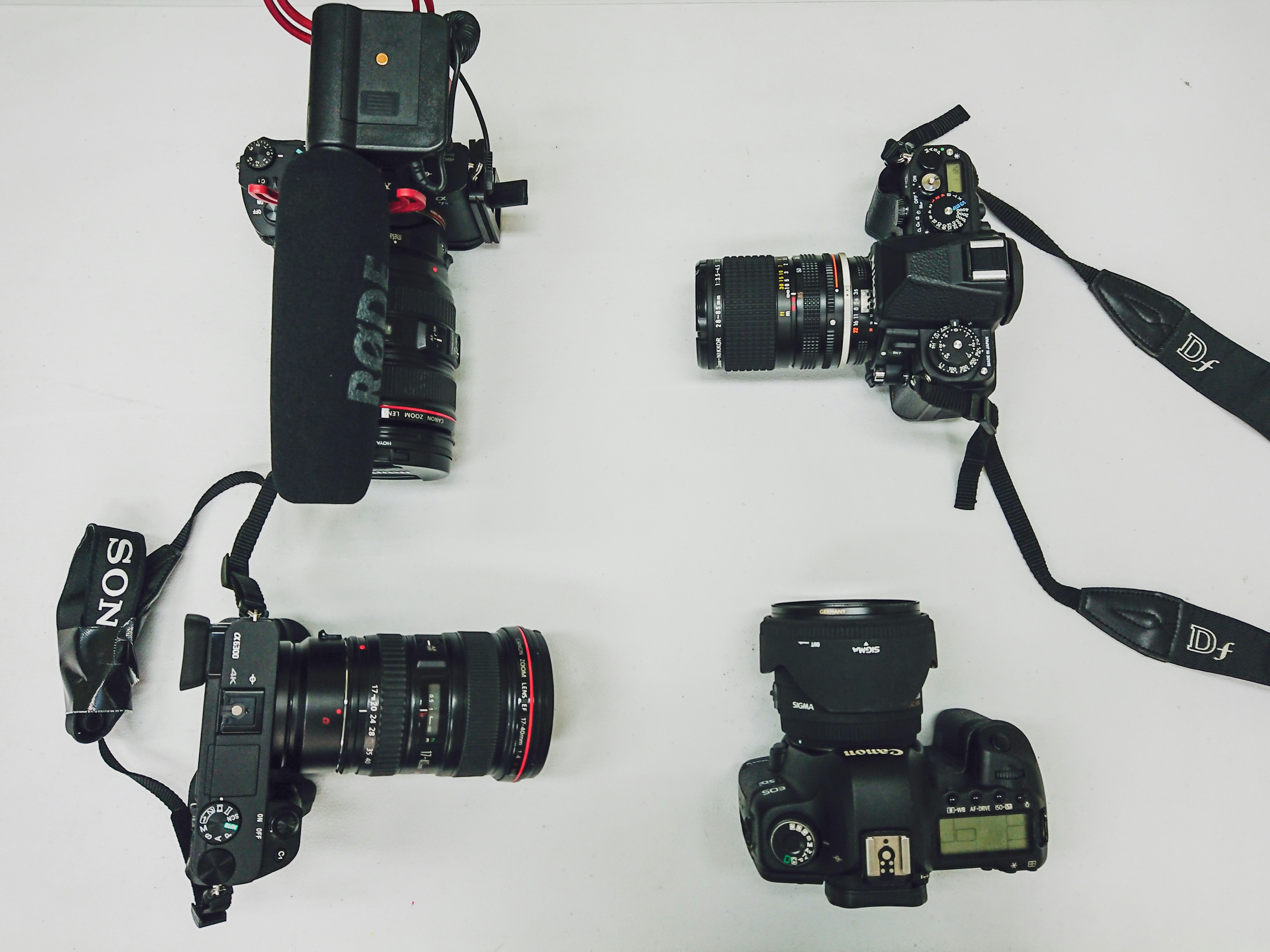
This fragmentation is not just a minor inconvenience. It is a fundamental design choice that forces photographers into a constant cycle of software updates and compatibility workarounds.
The Proprietary Format Trap
The scale of this incompatibility is staggering. Canon currently uses CR3 after moving away from CR2 and CRW. Nikon relies on NEF while Sony utilizes ARW. Fujifilm chose RAF and Olympus, now rebranded as OM System, uses ORF. Panasonic completes the list of major players with RW2. Each of these formats is proprietary and internally unique which makes them fundamentally incompatible with one another.
Adobe attempted to solve this with DNG which was intended to be a universal standard. While high end manufacturers such as Leica and Hasselblad adopted it natively along with some smartphone brands, the rest of the industry has largely ignored it.
The reality is that a universal RAW format does not exist. Instead, the market is a collection of dozens of different digital languages that refuse to speak to each other.
Why Manufacturers Keep Proprietary RAW Formats
The proprietary format situation isn't a series of accidents. While it may seem like different engineering teams simply arrived at different conclusions, the fragmentation is largely deliberate. The reasons are a mix of genuine technical requirements and calculated business strategy.
Manufacturer-specific color science is the primary driver for these formats. Whether it is the warmth of Canon skin tones or the clinical accuracy of Sony sensors, brands want to control how raw data is structured and interpreted. This allows companies to optimize their own proprietary software, such as Nikon NX Studio or Sony Imaging Edge, specifically for their hardware. While most photographers eventually migrate to third-party tools like Lightroom, the initial control over the aesthetic of the file remains a legitimate engineering priority.
There is also a functional argument for unique file structures. Not all sensors are built the same way. Fujifilm X-Trans sensors, for example, use a different color filter array than the standard Bayer pattern found in most other cameras. Forcing this data into a one-size-fits-all container could result in a loss of information or reduced image quality. Manufacturers argue that these special formats are needed to pull every bit of performance from their specific hardware.
Beyond the technical justifications lies the unstated reality of ecosystem friction. If you have a decade of Nikon NEF files and a refined workflow, switching to a different brand means rethinking your entire archive structure. This transition cost is a natural barrier to leaving a brand. The line between a technical necessity and a strategic business advantage is blurry, and camera manufacturers benefit from keeping it that way.
The Practical Challenges of Evolving Formats
The constant shifting of these file formats creates daily problems for anyone who works seriously with photographs.
- Software update treadmill: Every new camera body introduces a new RAW variant that your editing software will not recognize until a developer pushes an update. While major companies are generally fast, smaller developers can take months to catch up. It is possible to rent a camera for a job only to discover mid-shoot that your software cannot open the files.
- Backward compatibility issues: Software changes over time and how a program reads a file from 2008 today is not always the same as how it was handled years ago. While the data remains, the way color profiles and processing algorithms interpret that data can shift. This means an old file might look different now than it did when you first edited it.
- Orphaned format risks: If a camera company leaves the market or stops supporting a format, your old files still need software that knows how to read them. While support exists now, there is no guarantee for the distant future. Unlike a film negative which is a physical object, a proprietary digital file is only useful if someone maintains the code to decode it.
- Ecosystem transition costs: Moving to a new brand means your tools will have different default behaviors for the new files, making your old archive feel like a separate, less accessible system. Some photographers end up managing two different editing setups for years just to handle their old and new work. This is more of a burden than a functioning workflow.
DNG: The Attempted Universal Standard
In 2004, Adobe looked at the fragmented market and tried to create a single open format for everyone to use. The result was DNG, which stands for Digital Negative. It was designed as a well-documented and open specification that would be friendly for long-term storage. On paper, it was the perfect solution.
DNG has genuine strengths. Because the technical details are public, any software developer can build a reader for it without needing to decode a secret manufacturer format. DNG files also include all the data needed to read them, which lowers the risk of files becoming unreadable in the future. The format uses lossless compression so files are smaller without losing any quality. For saving your work for decades, it is the safest way to store sensor data.
Some manufacturers did adopt the idea. Leica and Hasselblad use DNG as their native format. Pentax offered it as an option, while Google Pixel phones and Apple ProRAW both use DNG as their foundation. It is a widely used and respected format.
However, the three largest companies Canon, Nikon, and Sony never joined the movement. These brands had nothing to gain and felt they would lose control over their own technology. Without support from these industry leaders, DNG could not become the universal standard Adobe intended.
Instead of being the starting point for photographers, DNG became a conversion target. It is now a second step in a workflow rather than the format you use while shooting. While it was designed well and functions perfectly, it remains ignored by the companies that could have made it a true success. Many photographers now use it for archiving their work while wishing the industry had simply agreed on a single standard from the beginning.
Practical RAW Workflow Strategies
Most cameras allow you to shoot RAW and JPEG at the same time. On modern memory cards, the extra space used is very small. The JPEG provides a file that any device can read and shows exactly how the manufacturer intended the image to look. The RAW file gives you full editing power. If the RAW format ever becomes unreadable in the distant future, you still have the JPEG as a permanent record.
For long-term storage, a common practice is to convert finished projects to DNG before moving them to a backup drive. Adobe offers a free DNG Converter that handles this task. You simply give it a folder of files and it creates DNG versions. This adds only a few minutes to your project work but acts as cheap insurance for the next twenty years. It is also smart to keep your original files alongside the DNGs because digital storage is very inexpensive and future software might find better ways to handle the original data.
On the software side, you should avoid using an editor made by a camera brand. Tools like Lightroom, Capture One, and DxO PhotoLab support many different file types and receive regular updates. Free options like Darktable and RawTherapee offer similar support. If you buy a new camera, always check that your software is compatible before you go on an important shoot. A quick look at the developer website can save you from a major technical headache later.
The best time to organize your file strategy is when you first start shooting. The second best time is today. You should choose a folder structure, decide if you want to use DNG for your archives, and follow that plan from now on. Trying to fix ten years of disorganized files later is a difficult and frustrating task. It's much easier to start with a clear system and stick to it.
A Manageable RAW Strategy
The split in RAW formats is unlikely to change. Manufacturer incentives to maintain their own standards are strong, and existing user bases are too large to justify a migration. In practice, a manageable strategy is to shoot RAW+JPEG, convert finished archives to DNG, and rely on third-party software that supports many formats. Keeping both the original RAW and a DNG copy ensures the file remains readable regardless of how the toolchain evolves.