
RAW Files Are Digital Negatives - And That's Not Just a Metaphor
Consider a box of old film negatives found in a closet. Tiny strips of film, each one holding a photograph that nobody can actually see without a darkroom and some chemistry. The images are all there along with every detail the film captured, but they are locked behind a process.
That's exactly what a RAW file is, and the comparison runs deeper than most people realize. When photographers call RAW files digital negatives, they're not being poetic. They're being precise.
What's Actually Inside a RAW File
A JPEG represents a finished photograph, while a RAW file contains the unprocessed sensor data from which a photograph is constructed. Understanding this distinction is fundamental to controlling the final appearance of an image.
Digital camera sensors are covered in millions of photosites that measure light intensity. Each individual photosite only records one color, determined by an overlaid Bayer filter - a mosaic of red, green, and blue filters. This grid typically contains twice as many green-filtered sites because human vision is most sensitive to that wavelength. The result of this capture is a grid of single-color brightness values rather than a complete image.
When shooting in JPEG, the camera processes this mosaic data internally. It performs demosaicing to interpolate full color for every pixel, applies white balance, adjusts contrast, sharpens the image, and compresses the data. These decisions are baked into the file and are largely permanent.
Shooting in RAW bypasses these internal adjustments. The camera saves the data as the sensor captured it, paired with metadata regarding the camera settings. This allows the "developing" process to happen on a computer, giving the editor full control over the final output without the limitations of pre-processed data.
The comparison to film negatives is the most accurate way to view this relationship. Just as a film negative contains the latent image but requires a deliberate chemical process to become a viewable print, a RAW file contains the full sensor capture but requires software interpretation to become a usable image.
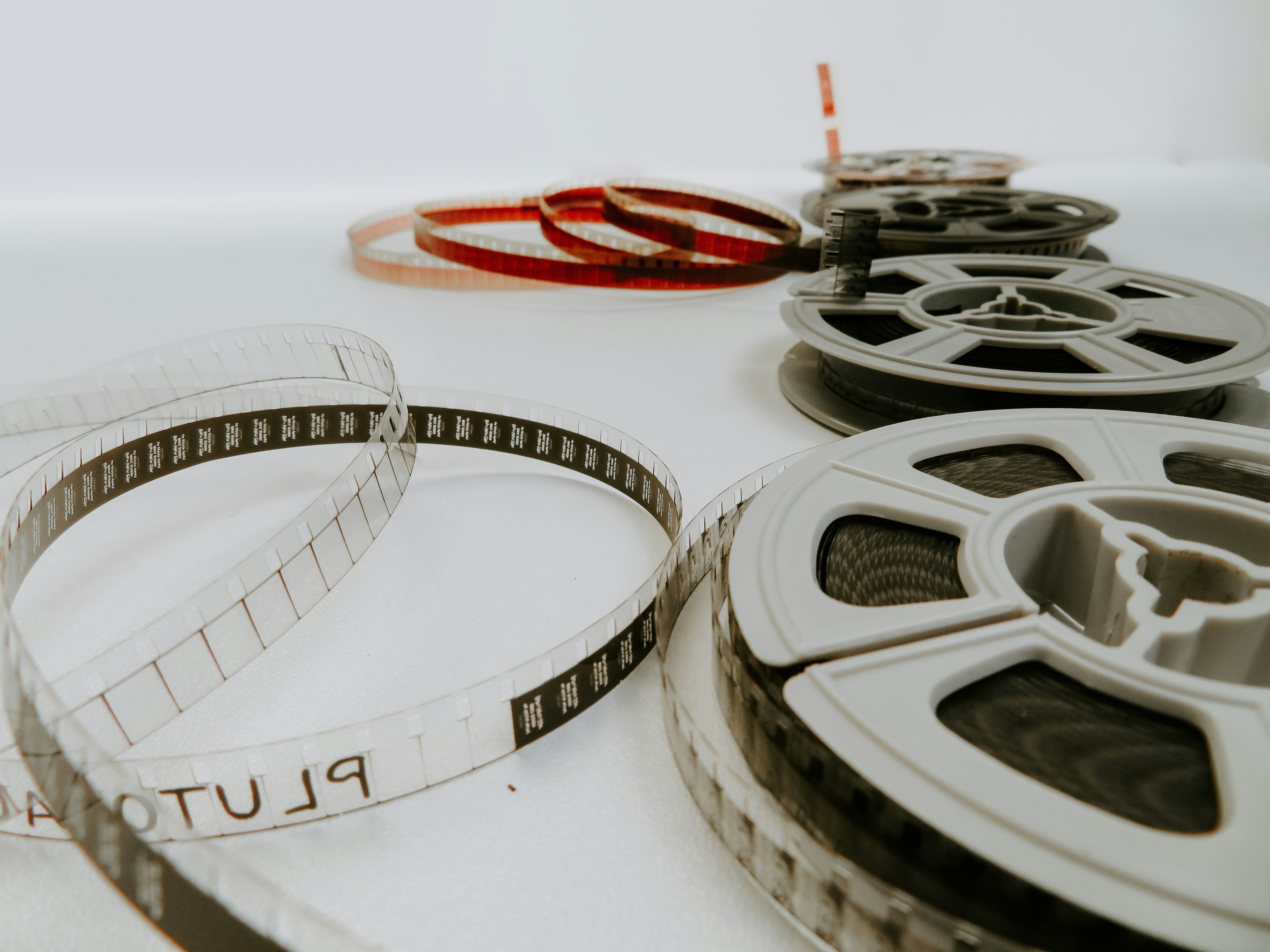
You cannot simply open a RAW file and expect a finished photograph the same way you would with a JPEG. Because the file is data rather than a rendered image, it requires a dedicated translator to interpret the sensor information into the visual format we recognize.
The Proprietary Format Problem
The primary challenge with RAW data is that there is no universal standard; every camera manufacturer has developed its own specific format. Canon utilizes CR3 (and formerly CR2), Nikon uses NEF, Sony uses ARW, and Fujifilm uses RAF. Each of these is a proprietary format with a unique internal structure, encoding method, and set of quirks. While some include embedded JPEG previews or different levels of compression, their only commonality is the underlying concept of providing minimally processed sensor data.
This lack of standardization creates significant practical hurdles. Every time a new camera is released, editing software must be updated to recognize and interpret the new file specifications. Photographers who purchase equipment on launch day often have to wait weeks for compatibility updates from developers like Adobe or Capture One.
Furthermore, relying on proprietary formats introduces long-term risks. If a manufacturer ceases operations or abandons a specific format, the accessibility of those files depends entirely on third-party developers continuing to reverse-engineer the specifications. Unlike a physical film negative from the 1950s, a RAW file from 2005 requires actively maintained software to remain viewable. Without that ongoing support, the data becomes increasingly difficult to translate as the user base shrinks.
RAW Editing Latitude and Bit Depth
The primary reason to manage proprietary formats and larger file sizes is the immense editing flexibility RAW provides. While a JPEG is a finished product with limited range, a RAW file offers a level of control that is impossible to achieve with processed images.
A JPEG is an 8-bit file, which means each color channel (red, green, and blue) is limited to 256 possible values per pixel. This limitation becomes apparent when you attempt to recover detail from deep shadows or overexposed skies. Because the data was discarded during the initial compression, adjusting the exposure sliders simply amplifies noise and creates banding artifacts, which appear as visible steps in what should be smooth color gradients.
In contrast, a RAW file is typically 12-bit or 14-bit per channel. A 12-bit file provides 4,096 values per channel (16x more than 8-bit), and 14-bit provides 16,384 values (64x more). That extra tonal resolution is what lets you underexpose a shot and recover shadows cleanly, pull back highlight detail that looks blown out in a JPEG preview, and shift white balance freely in post because the color temperature isn't baked into the pixel values.
DNG: Adobe's Open RAW Standard
Adobe introduced the Digital Negative (DNG) format in 2004 as an open-source solution to the problem of proprietary RAW files. The goal was to create a standardized, archival format that every manufacturer could adopt, ensuring that image data remained accessible regardless of future software support.
While some manufacturers like Leica and Hasselblad adopted DNG natively, and Google uses it for Pixel phone RAW files, the industry's major players - Canon, Nikon, and Sony - have not. These companies prefer to maintain control over their proprietary processing pipelines. As a result, DNG has largely become a conversion target rather than a primary shooting format.
For photographers, DNG remains the most reliable option for long-term storage. Converting proprietary files to DNG ensures they are documented and easier to interpret by future software. While it adds a step to the workflow, it provides a safety net against the potential obsolescence of manufacturer-specific formats like CR3 or NEF.
When to Convert and When to Keep RAW
Maintain your RAW files for significant work such as weddings, portfolios, or travel photography. Storage is inexpensive, and preserving the original sensor data allows you to re-process images years later using improved noise reduction and sharpening algorithms. RAW is your archival master; formats like JPEG, PNG, or TIFF are the finished artifacts used for sharing, web use, and delivery.
For a balanced approach, many photographers use the RAW+JPEG setting. This provides an immediate file for quick sharing while retaining the high-depth data for serious editing. While sports or wildlife photographers may avoid this to maintain maximum burst speeds, it is a practical default for most situations. However, for casual snapshots where archival quality is not a priority, shooting in JPEG alone is a perfectly acceptable way to save space and simplify your workflow.
| Feature | RAW | JPEG |
|---|---|---|
| Data Depth | 12-bit or 14-bit (Thousands of tones) | 8-bit (256 tones per channel) |
| Editing Latitude | Extreme; high highlight/shadow recovery | Limited; prone to banding and noise |
| White Balance | Adjustable in post with zero quality loss | Baked into the file; difficult to shift |
| File Size | Large (Approx. 25MB to 100MB+) | Small (Approx. 2MB to 15MB) |
| Compatibility | Requires specific software/updates | Universal; works on all devices |
| Purpose | Archiving and professional editing | Distribution, web, and social media |
RAW as a Long-Term Archive
Just as film negatives from decades ago can be scanned today to pull out detail through modern tooling, a RAW file is a high-fidelity archive of the moment you pressed the shutter. The camera captures the light; the RAW format keeps the creative decisions - white balance, tonal curves, noise reduction - available later, using whatever software is best at the time.