
PNG Is Not Always Better Quality
One of the more persistent myths in digital imaging is that PNG always produces higher quality than JPEG. It's an easy mistake to make because PNG is lossless and JPEG is lossy, but for photographic content the difference in visual quality is usually invisible while the file size difference is significant - often ten times larger or more.
Where the Myth Comes From
The surface logic seems airtight: PNG is a lossless format, JPEG is a lossy format, and lossless compression implies superior quality. However, this reasoning contains a critical flaw. Lossless doesn't mean higher quality; it means no additional quality loss from the compression format itself. Confusing these two distinct concepts is the root of the myth.
The relationship is similar to the difference between a reproduction and a container. If you place a painting in a protective sleeve, the sleeve preserves the image but doesn't enhance the original brushwork. It simply prevents further degradation.
When a camera saves a photo as a JPEG at a 92 quality setting, the quantization step introduces minor artifacts. Converting that resulting JPEG into a PNG simply preserves those existing artifacts losslessly. Because you can't recover data already discarded by the initial JPEG compression, the PNG version remains visually identical while the file size increases significantly. You've simply stored the same image in a larger, less efficient container.
PNG vs JPEG File Size Comparison
The comparison between these formats becomes most apparent when examining the data footprint of standard photography. This test has been done countless times, and the results are consistent.
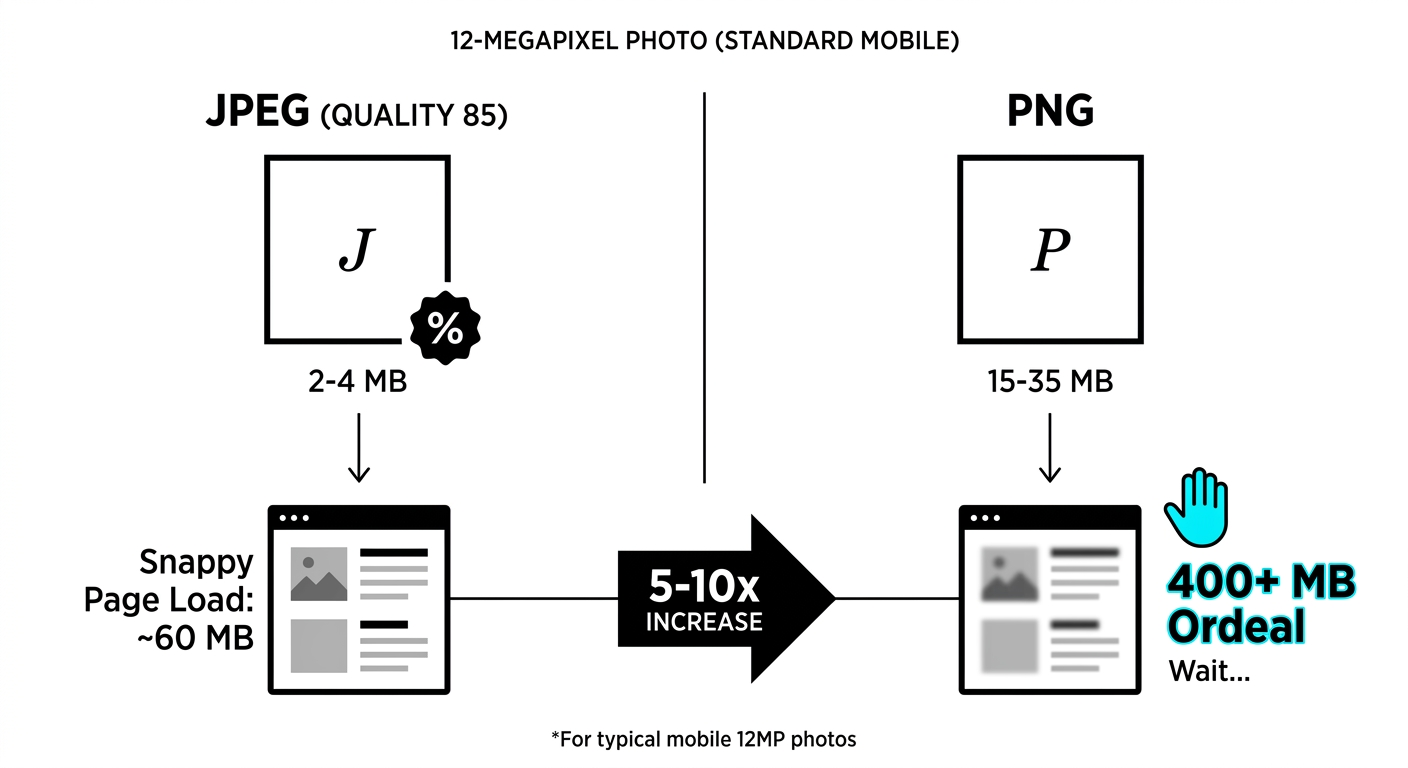
A 12-megapixel photo saved as a JPEG at quality 85 typically ranges from 2-4 MB. The same photo saved as a PNG will likely fall between 15-35 MB. This represents a 5-10x increase in file size. On a webpage featuring twenty product photos, this is the difference between a snappy 60 MB page load and a 400+ MB ordeal.
When these two files are placed side by side, the images are indistinguishable. The visual difference remains beneath the threshold of human perception for photographic content, no matter how closely you look with the naked eye.
The reason for this efficiency is rooted in how JPEG compression operates. It exploits the fact that human eyes are more sensitive to brightness than color, and that the smooth gradients typical of photographs survive frequency-domain compression effectively. Photographs are the native environment for JPEG; the format was designed specifically for this content.
When PNG Actually Is Better
While PNG is an excellent format, its utility is specific to certain use cases where JPEG fails. Here is the breakdown of when PNG remains the superior choice:
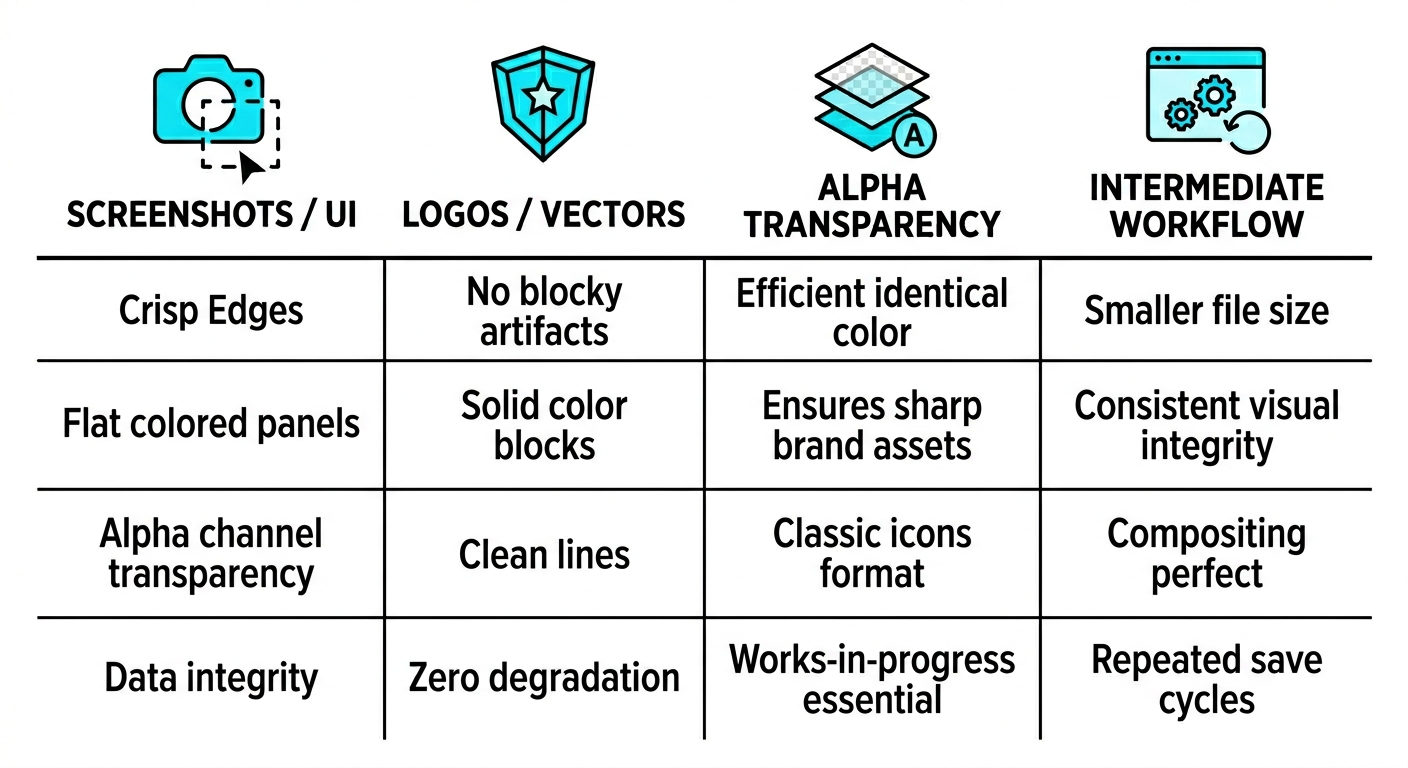
- Screenshots and UI Elements: PNG preserves the crisp edges of text and flat-colored panels without the blocky artifacts JPEG introduces. Because screenshots contain large areas of identical color, PNG handles these more efficiently and often results in a smaller file size than a low-quality JPEG.
- Logos and Vector Illustrations: Any graphic featuring clean lines or solid color blocks benefits from PNG to avoid the visual haze that appears around sharp boundaries in lossy formats. This ensures that brand assets like company logos remain razor-sharp regardless of the display resolution.
- Alpha Channel Transparency: PNG provides native support for transparency, a feature entirely absent from the JPEG standard. This makes it the essential classic format for icons, overlays, or any design element that needs to be composited onto various background colors or textures.
- Intermediate Editing Workflows: PNG is the ideal format for works-in-progress because it maintains perfect data integrity through repeated save cycles. Unlike JPEG, which degrades slightly every time it is opened and re-saved, PNG ensures that no quality is lost during a multi-stage editing process.
The PNG Gamma (gAMA) Inconsistency
PNG files can embed a gamma correction value in their metadata via a chunk called gAMA. While intended to tell the viewer how to adjust brightness so the image appears correct on any display, implementation is inconsistent. Different applications write different values, and browsers vary in whether they honor or ignore them. This results in the same PNG appearing noticeably darker or lighter depending on whether it is viewed in Chrome, Firefox, Safari, or Photoshop.
JPEGs avoid this specific drift by relying on ICC color profiles, which software handles much more consistently. The format often marketed for higher quality can display less accurately in real-world conditions because of the gAMA metadata feature.
Stripping the gAMA chunk when saving PNGs for the web resolves this issue, and most modern image optimization tools perform this action by default. This inconsistency remains a primary reason why a universal PNG strategy is often suboptimal for web performance and visual fidelity.
What PNG Compression Levels Actually Do
The PNG compression level setting, which typically ranges from 0 to 9, is often misunderstood as a quality control. These levels have no impact on image quality because the format is lossless. Every level produces a pixel-identical image.
The difference between these levels is strictly the computational effort the encoder exerts to identify patterns in the data. Level 0 performs no compression and simply stores the data, while level 9 uses maximum processing power to reduce the file size as much as possible. While the level 9 output is smaller, the decompression process results in the exact same image as level 0.
This is fundamentally different from JPEG's quality slider, which directly controls how much visual information gets destroyed. JPEG quality 10 looks dramatically worse than quality 90. PNG compression level 0 and level 9 look identical; the file is just bigger at level 0.
Setting PNG compression to 0 does not provide maximum quality; it simply creates a file that is 20-40% larger than necessary. High compression levels reduce file size without any risk of visual loss.
Picking the Right Format
Selecting the correct format depends entirely on the content of the image. Photographs and photorealistic images should use JPEG with a quality setting between 82 and 90. These files are a fraction of the size of a PNG with no visible difference, and quality can often be reduced to 82 for web use without detection. If you are editing an image through multiple rounds of saves, work in PNG or TIFF as an intermediate format and export to JPEG only for the final version.
Screenshots, graphics, logos, and illustrations with text or hard edges require PNG because JPEG artifacts are highly visible in those contexts. PNG handles the flat colors of these elements efficiently while maintaining sharpness. For images requiring transparency, PNG is the standard choice, though WebP is a viable alternative if your audience's browsers support it.
Format Is a Container, Not Quality
PNG is a solid format, but the idea that it always delivers better quality comes from a misunderstanding of what "lossless" means. A 30 MB PNG of a sunset is not higher quality than a 3 MB JPEG of the same sunset - it's the same visual information in a much larger container. Choosing the right format for each type of content is where the real performance difference comes from.