
Which Image Format Should You Use? A Decision Framework
Design teams often find themselves trapped in a cycle of repetitive questions when trying to save product photos. Determining whether an image is for a website or email, if it needs transparency, and which browsers it must support can become tedious. This complexity often leads designers to send a bulk ZIP file rather than choosing the most efficient format for each specific task.
The selection process has grown more complicated over time. While we once chose between JPEG and GIF, there are now eight or more viable options with distinct tradeoffs. Most users want to avoid dealing with technical specifications; they simply want a reliable answer.
This framework provides a practical thought process for choosing the right format based on actual usage rather than a list of specs.
Is It a Photo or a Graphic?
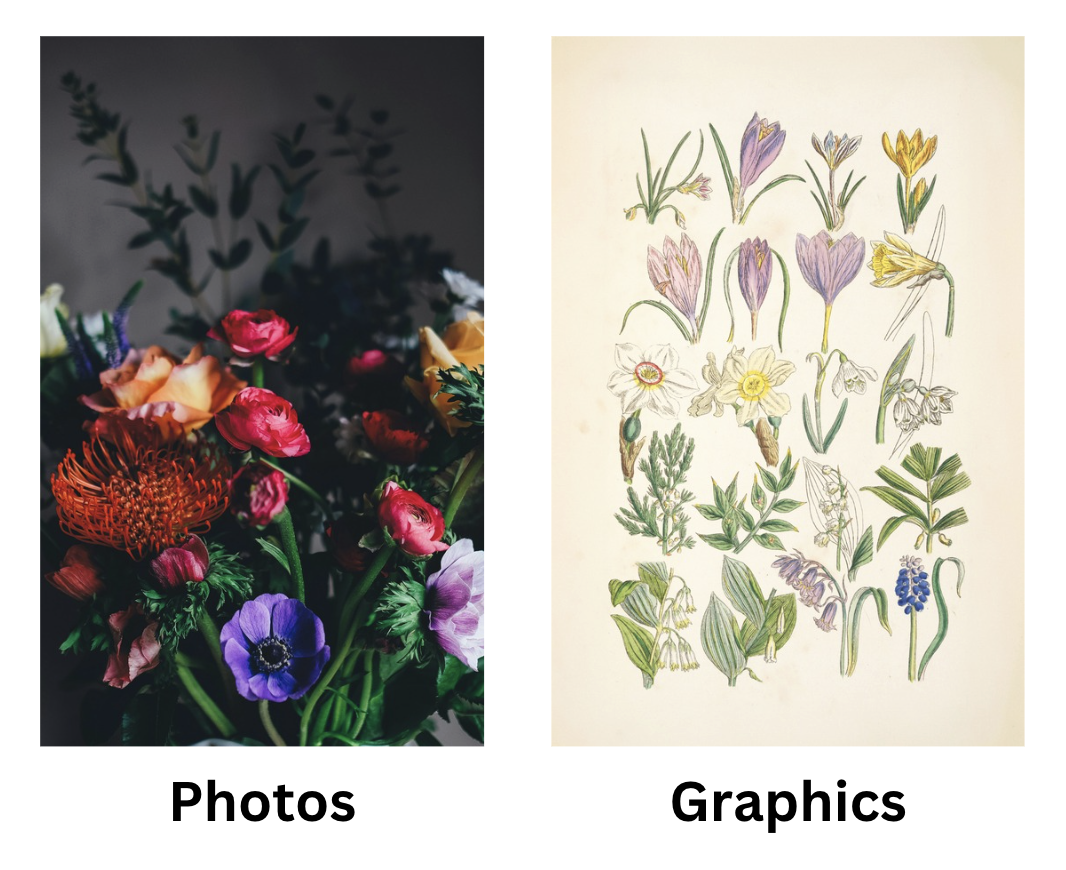
The most important decision point involves distinguishing between a photograph and a graphic. This step is frequently skipped, leading to poor image quality or bloated file sizes.
Photos include camera output, product shots, portraits, landscapes, and food photography. These are continuous-tone images featuring millions of colors, smooth gradients, and complex textures. They are best handled by lossy compression formats. JPEG, WebP, AVIF, and HEIC exist specifically to manage this type of content efficiently.
Graphics are logos, icons, diagrams, screenshots, and illustrations with flat colors and hard edges. These files have sharp boundaries, large regions of identical pixels, and text that must remain crisp. This is the domain of PNG and SVG.
Matching the content to the wrong format yields poor results. Saving a logo as a JPEG creates fuzzy artifacts around every edge. Conversely, saving a high-resolution landscape as a PNG results in a massive file that loads slowly.
The Photo Path
Once you identify the image as a photograph, its destination determines the best format. For the web in 2026, the standard recommendation is AVIF with a WebP fallback. AVIF creates files about half the size of a JPEG without losing quality, and nearly all global web traffic now supports it. You can use the <picture> element to serve AVIF to compatible browsers while providing a backup for others. If your CDN or image pipeline offers automatic AVIF generation, you should enable it for an immediate performance boost.
If you can't be bothered with the <picture> element or your CMS doesn't support it, WebP is the reliable alternative. It is supported by almost every browser from the last five years and compresses about 30% better than JPEG. It handles both lossy and lossless modes, making it a stable choice for most web projects.
JPEG remains essential because it is compatible with every piece of software ever written. It is still the correct choice for email attachments, sharing with non-technical users, or uploading to legacy platforms. You should also use JPEG when you do not control the viewing environment, such as sending photos to a print shop or attaching files to a support ticket.

JPEG — 713 KB
quality 90

WebP — 571 KB
quality 95 · 80% of JPEG

AVIF — 321 KB
quality 87 · 45% of JPEG
HEIC is the default format for modern iPhones. It offers strong compression and supports 10-bit color, but it is difficult to use outside the Apple ecosystem. Browser support is mostly limited to Safari, and Windows users often need a specific extension to view these files. HEIC works well for sharing via AirDrop or iMessage, but you should convert these images to a different format the moment they leave the Apple environment.
For professional print work, use TIFF. Specifically, choose uncompressed or LZW-compressed TIFF in the CMYK color space. Print shops prefer TIFF because it avoids lossy compression, supports CMYK natively, and manages color profiles accurately. While the files are large, this ensures the highest possible quality for expensive print runs like billboards.
TIFF is also the standard for archival and medical imaging. These fields require lossless preservation, high bit depth, and long-term stability. Since TIFF has existed since 1986, it is readable by almost any system. A radiologist cannot risk compression artifacts on an X-ray, and a museum needs a format that will remain readable for decades. TIFF provides a guarantee that no data will be lost.
Choosing Formats for Graphics and Illustrations
When an image is a graphic rather than a photo, the choice of format depends on how the artwork was constructed. Using the correct file type ensures your logos and icons remain sharp at any resolution without slowing down your site.
SVG
Use SVG for any graphic described by shapes, paths, or text, such as logos and icons. This vector format scales to any size without losing quality, so your artwork remains crisp on both mobile screens and high-resolution monitors. Since SVG files are written in XML code, they are searchable, animatable with CSS, and usually very small. A well-optimized logo is often under 5 KB. However, if an illustration is extremely complex with thousands of filters and paths, the SVG might get much bigger than a raster file. In those rare cases, use PNG or WebP instead.
PNG
PNG is the standard for screenshots, diagrams, or any graphic containing text and sharp edges. It uses lossless compression to preserve every pixel exactly, which is vital for user interface elements where blurring is easily noticed. While a screenshot saved as a JPEG will show fuzzy artifacts around text, a PNG remains pixel-perfect. PNG also offers the best universal compatibility across office software and project management tools.
WebP Lossless
For web-based screenshots, WebP lossless often produces files about 30% smaller than PNG with identical quality. This is an excellent choice for improving site performance while maintaining crisp lines.
Transparency
If your image requires a transparent background, you use PNG, WebP, AVIF, or SVG, as JPEG does not support this feature. While many people default to PNG for product photos with transparent backgrounds, WebP with alpha transparency is usually a better option. It provides the same quality and transparency with much smaller file sizes.
The Animation Question
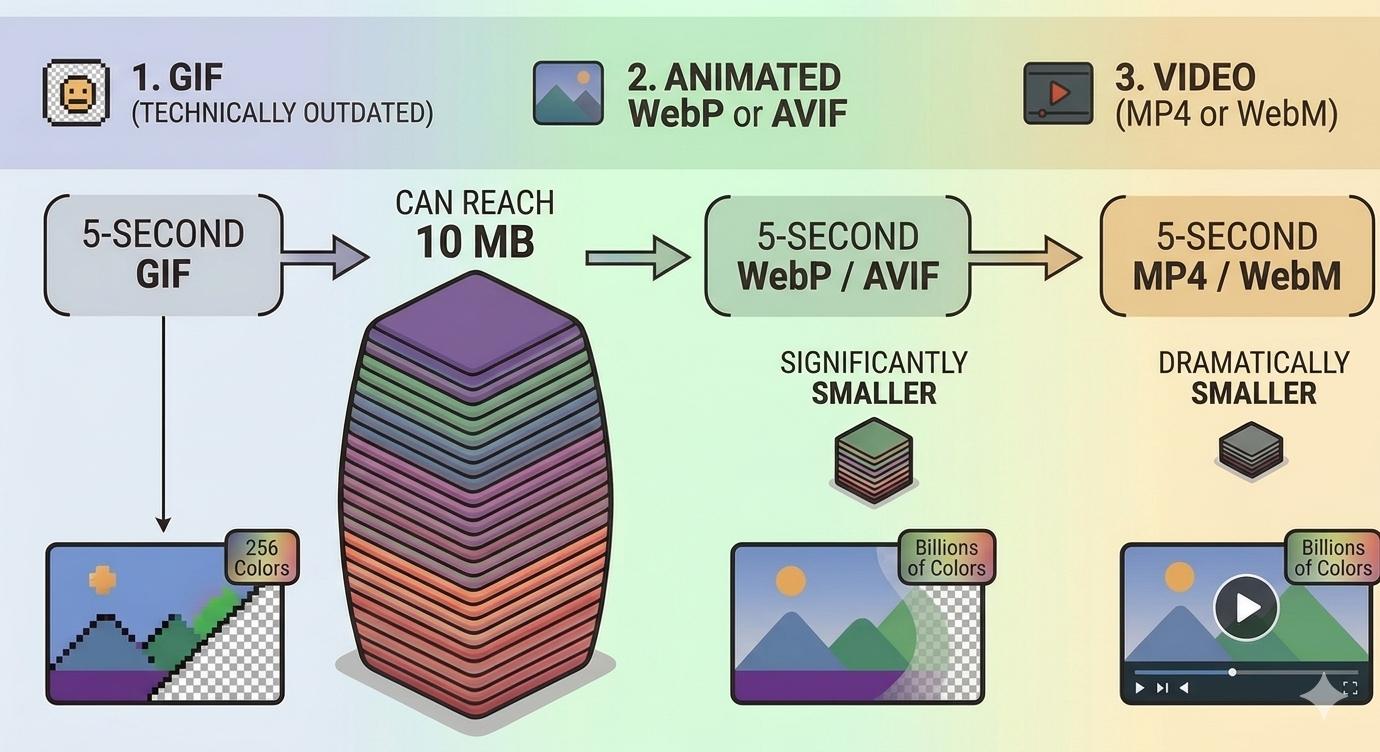
While GIF is the most common choice for animation due to cultural momentum and universal support in chat apps, it is technically outdated. It is limited to 256 colors and lacks partial transparency, often resulting in massive files for even short clips. A five-second GIF can reach 10 MB, whereas the same content as an animated WebP or AVIF would be significantly smaller.
Animated WebP or AVIF
For web animations where you control the platform, animated WebP is the most practical choice. It offers much better compression than GIF while maintaining high color depth and transparency. While AVIF also supports animation with even smaller file sizes, the tools for creating them are currently less mature and slower to encode.
Video Fallback
For any animation longer than a few seconds, actual video formats like MP4 or WebM are superior to image formats. The <video> tag with autoplay muted loop gives you the GIF-like behavior with dramatically better compression.
☞ Rule of Thumb: Use GIF only for social media and messaging where you have no other choice. For your own website, stick to animated WebP or video.
Real Scenarios, Quick Answers
| Scenario | Recommended format |
|---|---|
| E-commerce product photos on white background | WebP lossy, with AVIF if your CDN supports it. No transparency needed. |
| E-commerce product photos on transparent background | WebP with alpha, AVIF with alpha as a progressive enhancement. |
| Company logo for the website header | SVG. Always SVG. This is the one format decision that should never be debated. |
| Company logo for email signatures | PNG, because email clients have terrible SVG support. |
| Screenshots for documentation | PNG. Lossless matters when people are reading text in your screenshots. |
| Memes | GIF if animated, JPEG if static. Nobody is optimizing memes. |
| Wedding photos delivered to clients | JPEG at quality 92–95. Maximum compatibility — clients can open them anywhere and print them at any pharmacy. |
| Medical X-rays and scans | TIFF, lossless, 16-bit if the source supports it. Or DICOM, the specialized medical imaging standard. |
| A banner ad | Depends on the ad network's requirements (usually JPEG, PNG, or GIF). Most are years behind in format support. |
| Social media posts | JPEG or PNG. Instagram re-encodes everything anyway, so don't overthink it. |
The Short Version
Format choice mostly comes down to where the file is headed. Photographs on the web: AVIF or WebP, with JPEG as a fallback. Graphics and logos: SVG when you have a vector source, PNG otherwise. Print: TIFF or a high-quality CMYK JPEG. Animation: video over GIF wherever you control the player.